Restore HEIC Image Support in Ubuntu 26.04 LTS: A Complete Guide
Introduction
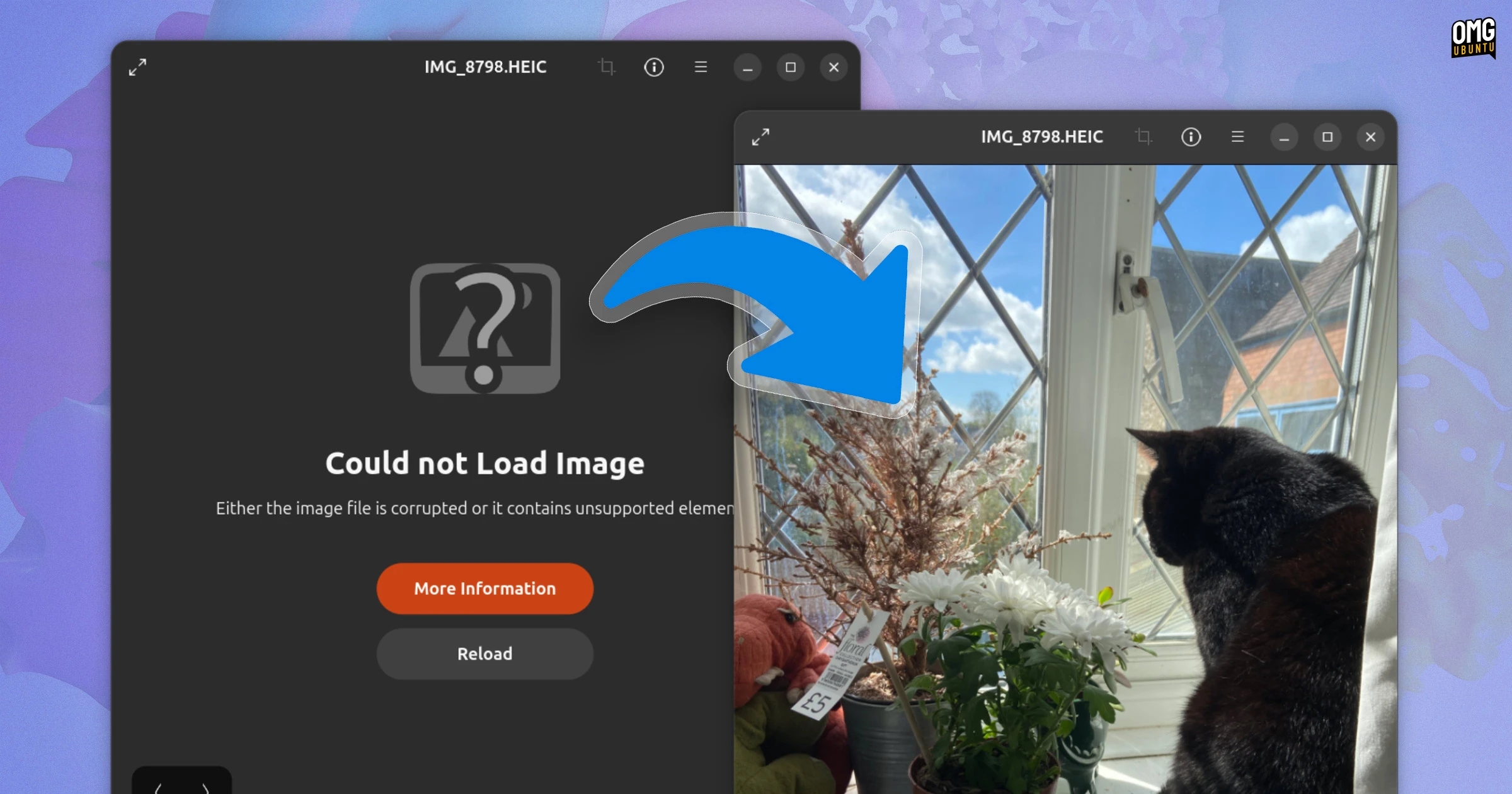
Have you recently connected your iPhone or Android device to a computer running Ubuntu 26.04 LTS, only to open the Image Viewer and see a frustrating “Could not load image” error? You’re not alone—this is a known, intentional change in Ubuntu 26.04 that removes built-in support for HEIC (High Efficiency Image Container) files. HEIC, a variant of HEIF (High Efficiency Image File Format), uses H.265/HEVC compression to produce smaller, high-quality photos. It’s the default format on modern iPhones and many Android cameras. Ubuntu’s developers adjusted the dependency chains so that the required decoder library is no longer automatically included. Fortunately, you can fix this in just a few minutes with a straightforward installation.

This guide will walk you through restoring HEIC support, step by step. By the end, your Ubuntu 26.04 LTS system will display HEIC images in the default Image Viewer and any other compatible apps.
What You Need
- An Ubuntu 26.04 LTS installation (desktop version)
- A user account with sudo privileges (administrator access)
- An active internet connection
- A file containing a .heic image (for testing)
- (Optional) The GNOME Image Viewer (
eog)—already preinstalled on most Ubuntu desktops
Step-by-Step Instructions
Step 1: Update Your Package List
Before installing new software, it’s good practice to refresh your package index. Open a terminal window by pressing Ctrl+Alt+T and run:
sudo apt updateThis ensures you have the latest information about available packages from the official repositories.
Step 2: Install the HEIC Decoder Packages
Ubuntu 26.04 provides a set of libraries and tools to handle HEIC files. Install them by entering the following command:
sudo apt install libheif-progs heif-gdk-pixbuf- libheif-progs adds command‑line utilities like
heif-convertandheif-info. - heif-gdk-pixbuf gives the GNOME image pipeline (used by Image Viewer and many file managers) the ability to decode HEIC thumbnails and full images.
If you use other image viewers (e.g., GIMP, Shotwell), you may also want to install libheif1 and libheif-dev for broader compatibility. To do so, run:
sudo apt install libheif1 libheif-devNote: The exact package names may vary slightly depending on future updates, but the ones listed above are the core components as of Ubuntu 26.04 LTS.
Step 3: Verify the Installation
After installation completes, check that the libraries are properly loaded. Run:
dpkg -l | grep heifYou should see entries for libheif-progs, heif-gdk-pixbuf, and possibly others. Next, test that the GdkPixbuf loader recognizes HEIC:
gdk-pixbuf-query-loaders | grep -i heicIf the output shows a line containing “heic”, the decoder is active.
Step 4: Restart the Image Viewer (or Log Out)
For the changes to take effect, you need to restart any applications that cache the available image formats. The easiest method is to close the Image Viewer if it’s open (or any file manager like Nautilus) and reopen it. If thumbnails still fail in Nautilus, log out and log back in, or restart your session with Alt+F2 and entering r for GNOME.
Alternatively, you can force a cache refresh by running:
sudo ldconfigand then restarting GNOME Shell (press Alt+F2, type r, press Enter).
Step 5: Test with a HEIC File
Locate a .heic file—for instance, one you copied from your phone. Double‑click it in the File Manager. It should now open correctly in the Image Viewer without any error. If you previously saw a generic placeholder or the “Could not load image” message, it should now display the photo in full quality.
Also check that thumbnails appear in the file manager. Navigate to a folder containing HEIC images; they should load previews instead of generic icons.
Troubleshooting Tips
- Still seeing the error? Make sure you’ve actually copied the correct HEIC file from your phone. Some devices embed JPEG previews, but the main image is still HEIC. Try opening the file from the command line with
heif-convert input.heic output.jpgto test the raw decoder. - File manager thumbnails still missing? Clear the thumbnail cache by running
rm -rf ~/.cache/thumbnails/*and then refresh the folder (press F5). - Alternative viewers: If the default Image Viewer continues to have problems, consider installing GIMP (with the
gimp-heifplugin) or Shotwell, both of which support HEIC after installing the libraries above. - Batch conversion: To convert many HEIC files at once, use the command:
for f in *.heic; do heif-convert "$f" "${f%.heic}.jpg"; done. This creates JPEG copies that are universally compatible. - Future updates: After a system upgrade, you may need to reinstall these libraries because Ubuntu 26.04’s base does not include them. Keep the commands handy.
Final Notes
Restoring HEIC support is a one‑time process that takes less than five minutes. The fix described here is safe and uses only official Ubuntu repositories, so no third‑party PPAs or complicated tweaks are required. Once installed, your Ubuntu 26.04 LTS system will handle HEIC images just like any other photo format.
Remember: This guide is written specifically for Ubuntu 26.04 LTS. Other versions or distributions may need different packages. Always verify your release before proceeding.